Then I started making a game using C and Raylib called Witchbolt, but soon after creating the game menu, I found out that I couldn’t build it for iOS since it only had OpenGL as a backend. My idea was pretty simple: switch from Raylib to SDL. It was perfect timing since SDL3 had just been released and was far more stable. So, well, I rewrote it all using SDL3.
But problems started when my need for third-party libraries increased. C is king, but you have to do everything by hand a lot of the time, and sometimes it’s very verbose or becomes a pain to work with. So I simply moved to modern C++ to make my life easier.
Wrapping C code in classes and organizing a good OOP abstraction made the game code much cleaner and more enjoyable to work with. After this realization, I came across ImGui, a library for creating GUI interfaces that you can use with SDL, raw OpenGL, etc. It made GUI programming in the game far easier, but I realized I could do far more with it.
That’s when I thought about creating a tool to help me make Anki cards from images.
Anki Image2Card
Creating Anki cards from images extracted during immersion is such a painful process. Before creating this tool, I did everything manually.
During immersion while reading manga, I take screenshots of parts of the page where there’s an i+1 sentence, a sentence where I know every word except one, and that one is the target word.
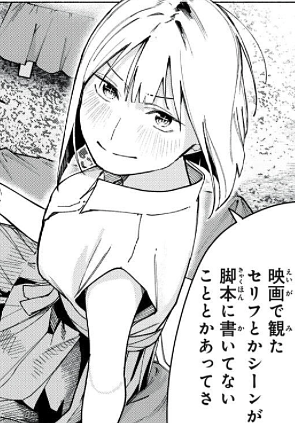
From “Artemis Under de Roof”
Then, after finishing a chapter (I don’t stop for lookups during reading), I’d start the process of creating Anki cards, which was:
- Upload the image to Gemini to extract the sentence from the image.
- Get the target unknown word I’m interested in and search it on Jisho to get its definition.
- Generate the audio for the sentence using Narakeet.
- Go to Anki, Add, fill in all fields.
- Preview the card to make sure it looks good.
This entire process took me 2 to 5 minutes per card, so creating 10 cards would cost me around 30 minutes. That’s when the idea for Image2Card came up: if I do all of this manually on the computer, I can surely automate it.
It took a lot of trial and error until I got a good working tool. It’s still not perfect, but it already gets the job done. 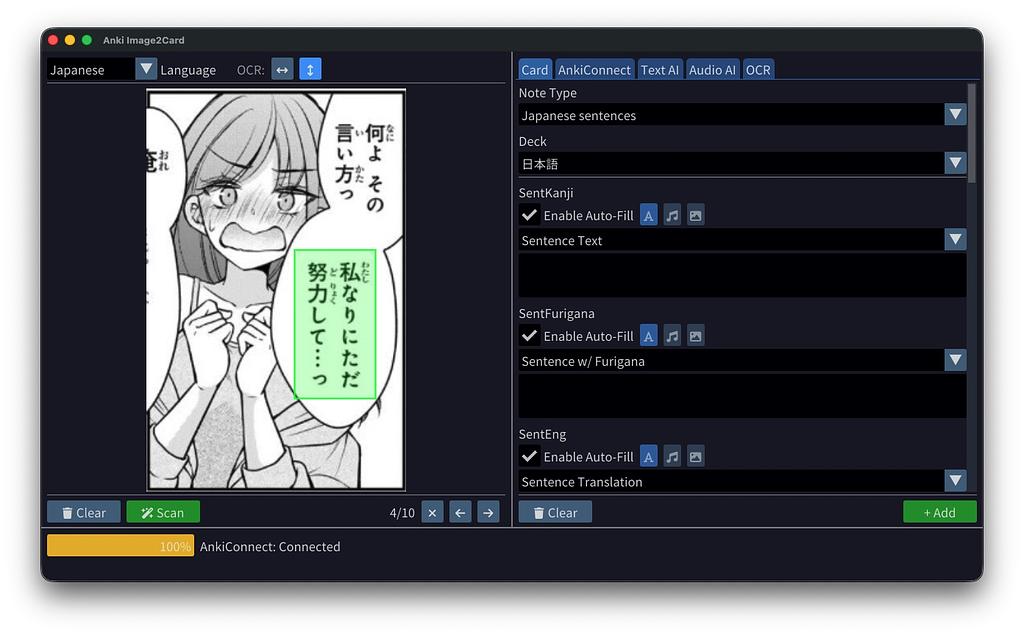
Manga is Namaiki Asahi-chan o wakarasetai
Now, each card takes just a few seconds to create. I select all the images, drop them onto Image2Card, and for each image, I select the phrase, click Scan, select the target word, and click Process. At the end, I just check each field and press “Add”. Simple as that. 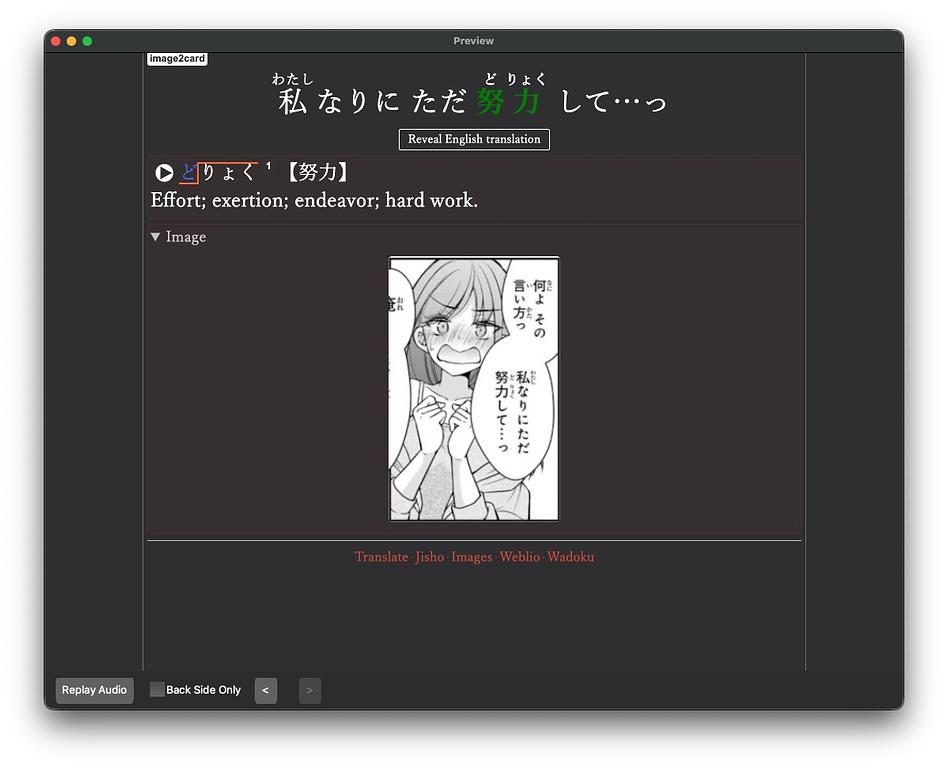
Example Anki Card created from Image2Card
Anki Video2Card
Another way to immerse in Japanese is by watching anime, and creating Anki cards from anime was also painful. Why not create a tool for that as well? We’re coding in C++; we have all the computer power at our fingertips.
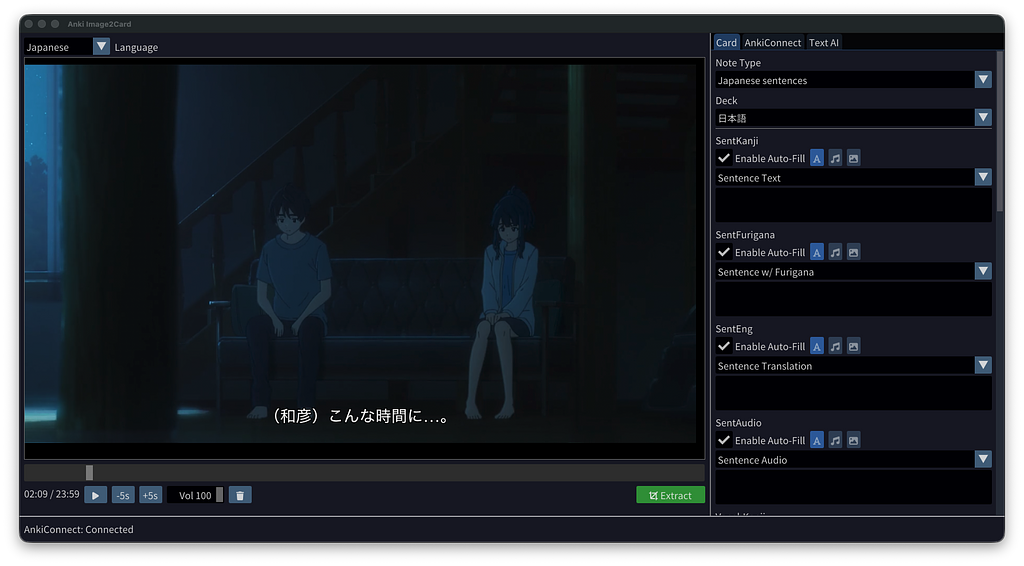
Anime is Makeine: Too Many Losing Heroines!
This tool turned out even better, in my opinion. Because I take the audio directly from the video instead of generating it with AI, and I don’t need any OCR since the video has subtitles.
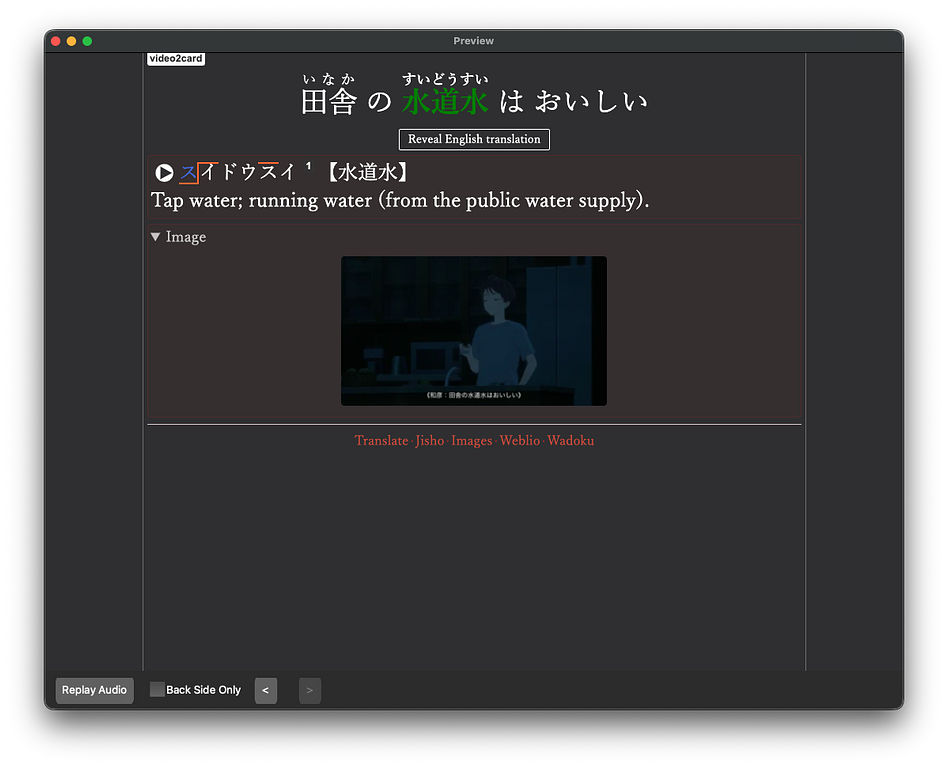
Example Anki card created from Video2Card
Both tools are built using modern C++23 and CMake. The frontend for both is SDL3 + ImGui, such a perfect combo.
For OCR, I simply call the Gemini API, and for audio generation in Image2Card, I use ElevenLabs. I made these tools to help with my own Anki grind, and I think other people can benefit from them too. That’s why both are open source.
My plan is to improve each tool so that using AI is optional, everything could be done locally or with open APIs, meaning people won’t need API keys to make them work.
I’ve already started this on Image2Card by adding local OCR with Tesseract, but for Japanese, Tesseract is simply terrible.
Image2Card took me 1 week to create, while Video2Card I made in 2 days by copy-pasting the project and making the changes. I had some trouble with Video2Card because ffmpeg and libmpv are beasts to work with.
Anyway, I hope these tools will be useful to other people as well.
Anki Image2Card: https://github.com/DaveMcMartin/anki-video2card
Anki Video2Card: https://github.com/DaveMcMartin/anki-video2card
Bye.